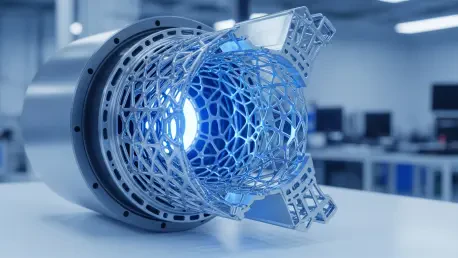

The current landscape of industrial manufacturing has reached a pivotal juncture where the integration of artificial intelligence is no longer an experimental novelty but a core requirement for competitive design. For years, engineers and product designers struggled with the manual optimization of internal support structures, often spending weeks refining lattice patterns to reduce weight without sacrificing structural integrity. Today, however, the emergence of advanced generative algorithms has revolutionized this process, allowing for the creation of intricate internal frameworks that were previously impossible to document or manufacture. These tools do not merely automate tasks; they provide a new language for physical geometry, where constraints like heat dissipation and stress distribution are handled by neural networks capable of processing millions of variables simultaneously. As the industry moves further into 2026, the question is no longer whether AI can participate in the design process, but how precisely it can manage the transition from a conceptual visual model to a rigorous, production-ready solid CAD file.
Professional workflows now require a seamless bridge between the creative phase and the engineering phase, where data remains consistent and editable across different platforms. The challenge remains in ensuring that the fluid, often chaotic output of an AI can be tamed into the structured format required by CNC machines and high-precision 3D printers. This evolution has led to a diverse ecosystem of software solutions, each specializing in a different aspect of the design-to-production pipeline. From lightweighting aerospace components to designing consumer electronics with complex internal layouts, AI-driven tools are setting new standards for efficiency. As organizations adopt these technologies, the emphasis shifts toward verification and validation, ensuring that the digital precision promised by the software translates accurately to the physical world. Understanding how to navigate this suite of tools is essential for any professional looking to leverage the full power of modern industrial design automation.
1. Identifying Software: Advanced Internal Frameworks and Lightweighting
Specialized tools for advanced lightweighting have become indispensable for engineers who prioritize performance and material efficiency in high-stress applications. One of the primary leaders in this space is nTop, which offers a robust platform for creating complex internal lattices and optimization workflows specifically tailored for additive manufacturing. By utilizing implicit modeling, nTop allows users to define intricate geometries through mathematical functions rather than traditional boundary representations, which makes it possible to generate incredibly detailed internal structures that would crash conventional CAD software. This approach is particularly effective for 3D printing, where the ability to vary the density of a part based on local stress requirements can lead to significant weight reductions. Designers can now implement recursive optimization loops where the software automatically adjusts the lattice thickness and cell size, ensuring that every milligram of material serves a structural purpose while maintaining the desired external form.
While nTop excels in structural complexity, other tools focus on the balance between performance validation and overall manufacturability for broader industrial use. Siemens Simcenter Inspire has integrated simulation directly with generative design, allowing engineers to run thermal and mechanical stress tests alongside the geometry generation process. This integration ensures that the resulting forms are not only aesthetically pleasing and lightweight but also capable of surviving real-world operating conditions. For smaller teams or those working on consumer electronics, Momaking provides AI-assisted guidance that focuses on the practicalities of internal component placement. This software analyzes potential layouts for hardware, offering suggestions for heat dissipation paths, optimal wall thickness, and the arrangement of internal fasteners. By bridging the gap between high-level engineering simulation and practical product packaging, these tools allow designers to iterate rapidly without the need for constant, manual back-and-forth between disparate software packages.
2. Creating Solid 3D Models: From Prompts to Parametric CAD
Transitioning from a conceptual idea to an editable solid model is a hurdle that AI is now clearing through innovative prompt-based commands and boundary-representation technologies. Zoo Design Studio represents a significant leap forward by allowing users to generate B-rep models and feature trees directly through text-based inputs. This is a departure from the mesh-heavy outputs of earlier AI tools, as it produces files that are natively compatible with professional CAD systems like CATIA or Siemens NX. By using natural language to describe features like fillets, holes, and specific dimensions, designers can create a foundational model that retains its history and constraints. This capability is vital for industrial applications where a model must be easily modified by an engineering team later in the development cycle. Instead of starting from a “dumb” geometric shape, the AI provides a structured starting point that respects the logic of traditional mechanical design.
The utility of AI extends beyond new designs into the realm of reverse engineering and parametric conversion, where tools like Backflip play a crucial role. This software specializes in transforming raw scans or mesh data into editable STEP files with a complete history of constraints and parameters. For engineers tasked with modifying an existing physical part, this eliminates the tedious process of manually tracing mesh data to reconstruct a solid model. Similarly, for quick parameter studies, TextoCAD offers a browser-based environment where simple parts can be generated and modified using adjustable sliders. This is particularly useful for hardware components that require frequent sizing adjustments, such as brackets or enclosures. Furthermore, the introduction of SOLIDWORKS AI, often referred to as LEO, has brought these capabilities into the traditional CAD environment, helping users build assembly structures and run simulations with virtual assistance. This direct link between AI design and prototyping is further solidified by Momaking, which transitions conceptual layouts into high-precision models that meet the strict requirements of CNC machining.
3. Editing Scale: Visual Presentation and Parameter Control
Adjusting the proportions and aesthetic details of a 3D model is no longer a manual chore thanks to the integration of parametric templates and slider-driven interfaces. Sloyd has emerged as a powerful tool for those who need to quickly modify the scale and form of a 3D asset without breaking the underlying geometry. By using a library of parametric templates, users can manipulate sliders to change dimensions such as length, width, and even the complexity of specific features like handles or supports. This system ensures that the model remains manifold and printable even as its proportions are drastically altered. Similarly, TextoCAD provides browser-based sliders specifically designed for engineering parts, allowing for precise control over measurements while maintaining the integrity of the solid model. These tools empower designers to explore a vast range of variations in real-time, facilitating a much faster feedback loop during the initial stages of product development.
Beyond pure geometry, the visual presentation and material exploration aspects of design have been significantly enhanced by AI-driven textures and rendering tools. Platforms like Meshy, Tripo, and Hyper3D Rodin allow designers to develop aesthetic concepts and explore high-quality mesh-based materials with unprecedented speed. These tools use neural networks to predict how different textures and finishes will look on a specific geometry, providing a high level of visual fidelity for conceptual reviews. For high-fidelity product renders, Momaking offers specialized features that visualize specific materials, lighting, and textures, which are essential for prototyping discussions and stakeholder presentations. This allows the design team to present a realistic vision of the final product long before any physical material is cut. By separating the visual exploration from the mechanical constraints while keeping them linked in the same ecosystem, companies can ensure that the final aesthetic matches the engineering reality without compromising the performance of the part.
4. Validation Processes: Verifying Accuracy and Manufacturability
The success of any AI-generated model in an industrial setting depends on a rigorous validation process that ensures the digital output can be physically produced. To begin this verification, it was necessary to select a representative test piece that included challenging features such as thin walls, small-diameter holes, and at least one surface with extremely tight tolerances. This choice allowed engineers to push the limits of the AI’s understanding of manufacturing constraints. Throughout the testing phase, consistent data inputs were provided across every tool, including the exact same units of measurement, material properties, and specific manufacturing limitations. It was also crucial to identify the output format of each tool, documenting whether the software produced a non-editable mesh like an STL file or a robust solid model like a STEP file. This distinction determined how the model would be handled in subsequent stages of the engineering pipeline.
Once the initial model was generated, it had to undergo a thorough inspection within professional CAD software to check for solid integrity and accurate mass properties. Engineers defined critical dimensions by adding technical drawings or model-based definitions, ensuring the AI understood the required tolerances for fit and function. Manufacturing checks were then performed to detect any part interference or issues with tool access that might prevent CNC machining or injection molding. A key part of this process was keeping the engineering data and visual presentation files separate to prevent color and material adjustments from overwriting the master mechanical dimensions. Finally, the team double-checked that any visual rescaling for marketing images did not accidentally alter the mechanical dimensions of the production model. The final step always involved getting a formal approval from the supplier, who reviewed the file to confirm it met their specific requirements for mass production.
5. Strategic Implementation: Mapping Tools to Production Requirements
The strategic deployment of AI tools in 2026 proved that matching the right software to the specific job was the most effective way to optimize the industrial design workflow. Momaking served as a vital connector between online AI design and the final manufacturing handoffs, ensuring that conceptual models were translated into production-ready formats. For projects requiring extreme performance and lightweighting, nTop provided the necessary depth for complex internal structures, while Siemens Simcenter Inspire ensured those designs were backed by rigorous simulation. On the other hand, Zoo Design Studio revolutionized the early design phases by turning text prompts into editable solid CAD files, providing a more intuitive entry point for creating parametric models. Backflip complemented this by successfully turning physical scans and legacy meshes into fully constrained parametric files, which saved hundreds of hours in reverse engineering tasks.
In more streamlined environments, browser-based tools like TextoCAD and Sloyd offered accessible ways to handle simple parts and visual templates without the overhead of heavy software installations. These tools allowed for rapid dimension edits and the creation of printable assets for quick prototyping. For the purely aesthetic and conceptual side of the business, Meshy and its counterparts provided the high-quality textures and visual assets needed to secure project buy-in. Moving forward, the lesson for design teams was clear: the integration of AI required a tiered approach where high-end engineering software and lightweight browser tools worked in tandem. Engineers who successfully navigated this ecosystem realized that the key to future success lay in maintaining a strict boundary between conceptual exploration and mechanical validation. By establishing these clear protocols, companies achieved faster time-to-market cycles and higher part performance, setting a new benchmark for what was possible in modern industrial design.